Analyze your Apple device's sales region by entering the model code or sales region identifier
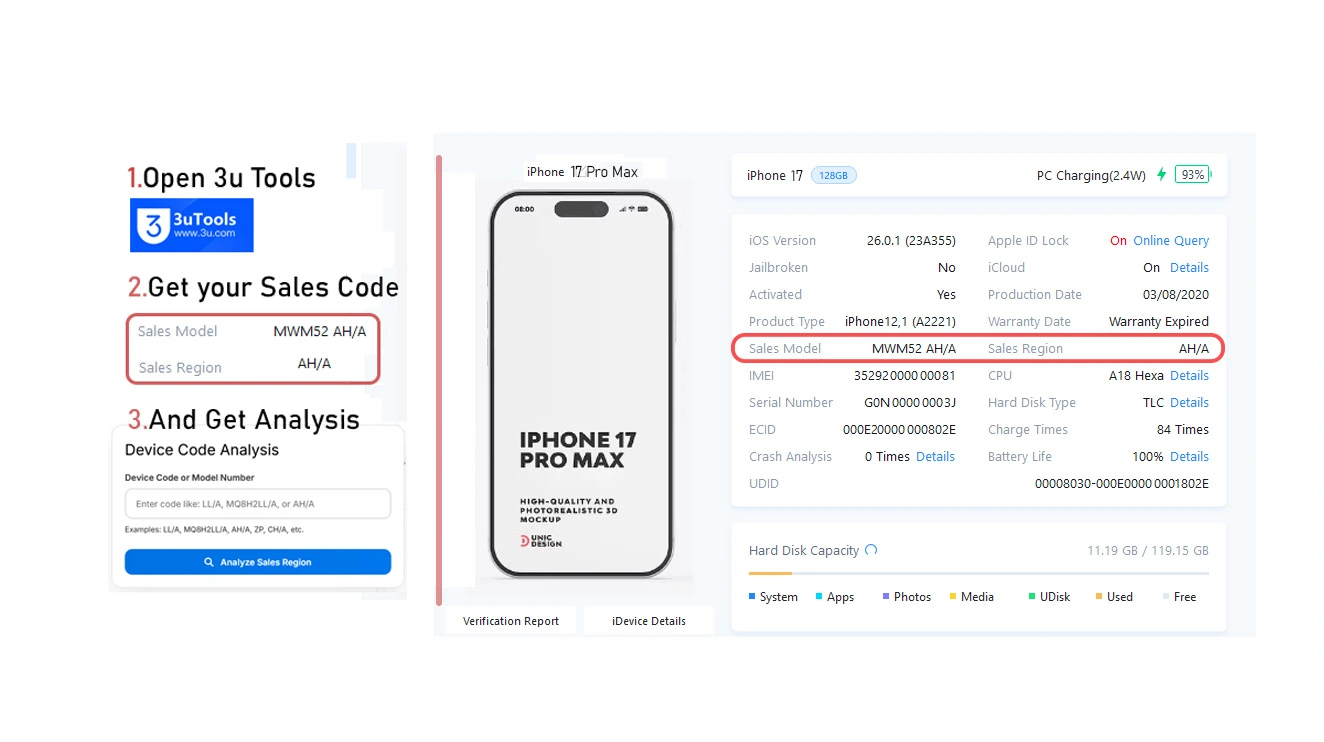
Device Code Analysis
How It Works
Our Apple Sales Region Checker can identify the sales region of your Apple device by analyzing the region code embedded in the model number or device identifier.
Apple devices are manufactured for specific regions and markets, and this information is encoded in the device's model number. Understanding your device's sales region can help with warranty claims, compatibility, and understanding device specifications.
What We Analyze
- Sales Region Code Extraction
- Country/Region Identification
- Geographic Region Categorization
- Confidence Score Assessment
- Regional Context Information
Example Region Codes
Here are some common Apple device region codes you can try:
How to Find Your Model Number
There are several ways to find your Apple device's model number:
In Settings
Go to Settings > General > About and look for "Model Number"
On Device Back
Check the back of your iPhone for engraved model number
Original Packaging
Look on the original box or packaging materials
Purchase Receipt
Check your purchase receipt or invoice
Why Check Sales Region?
Understanding your Apple device's sales region is important for several reasons:
- Warranty and support coverage varies by region
- Device specifications may differ between regions
- Compatibility with local carriers and networks
- Understanding device origin and authenticity
- Resale value and market expectations